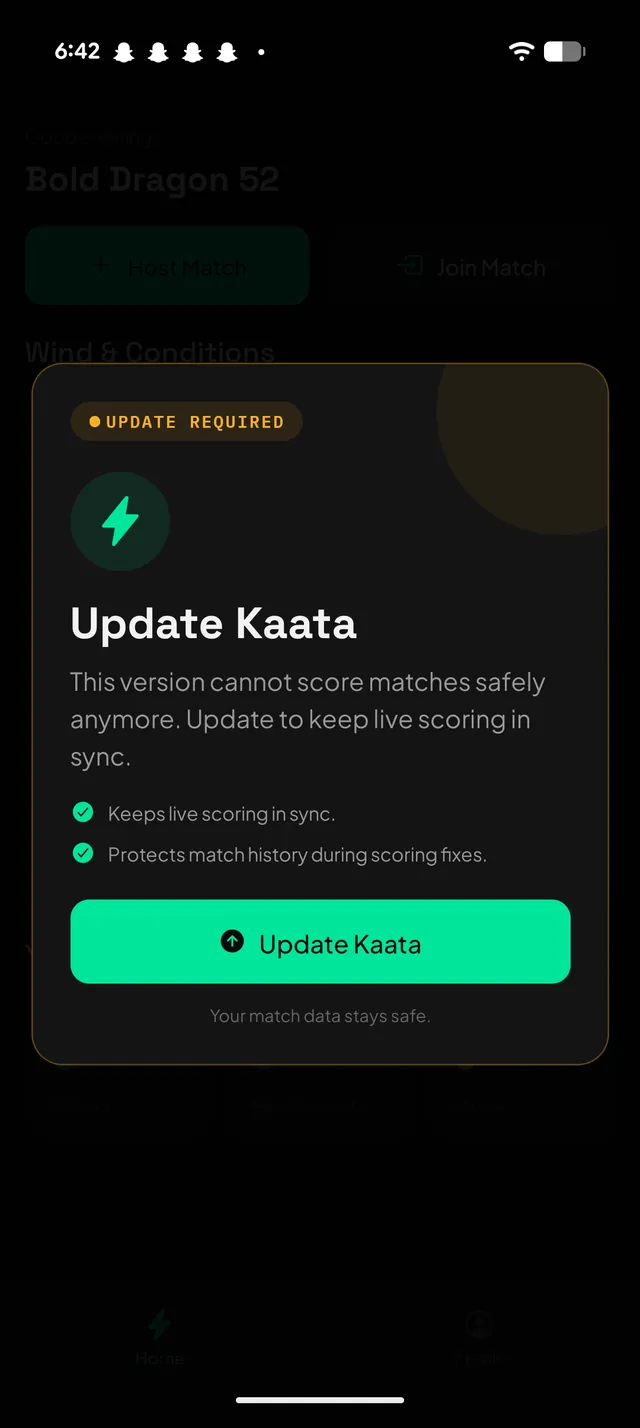
If Kaata shows Update Required, install the latest
version before scoring or joining. Yeh safety step hai, taaki live
pench scoring, join links, and match history sahi rahe.
Force update blocks scoring until you install the latest app.
Update Required · ज़रूरी अपडेट
When the full-screen popup appears
Tap Update Kaata in the app.
Install the latest Kaata from the App Store or Google Play.
Open the same invite link again, or paste the pending KAATA code on Home.
Ask the hoster to approve your join request if the match is private.
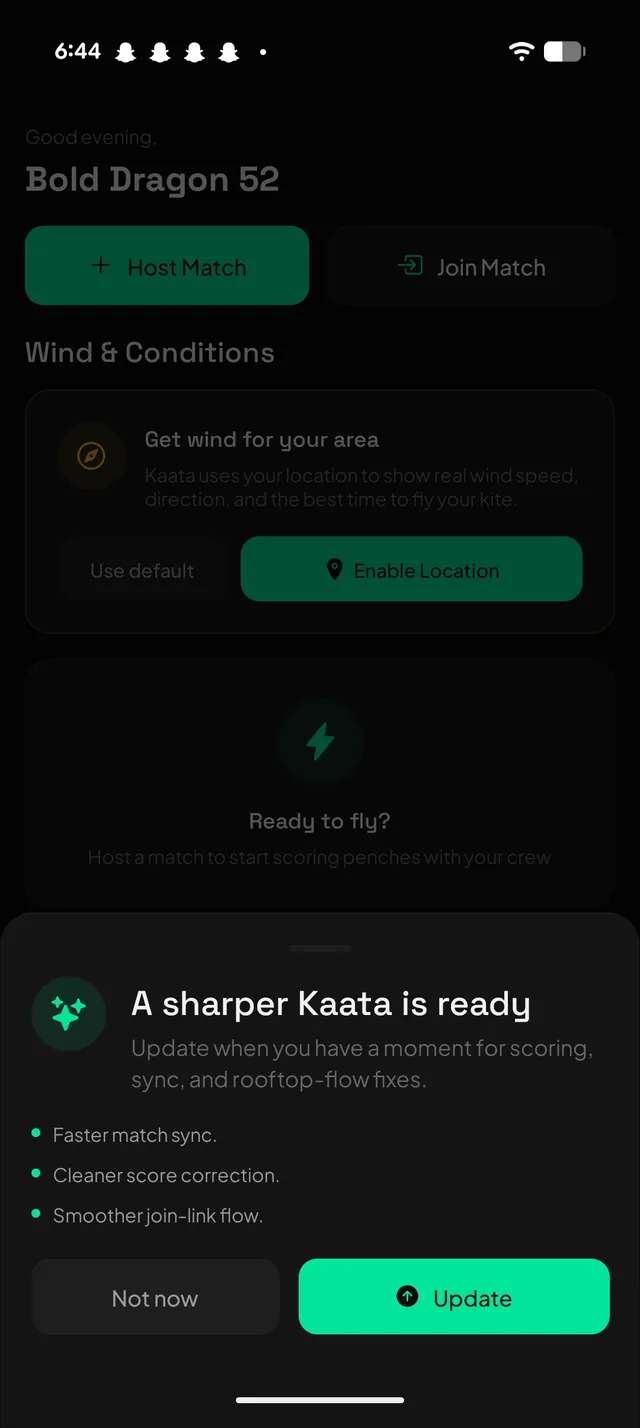
Light update · आराम से अपडेट
When the bottom sheet appears
Tap Update if you have a quiet moment before scoring.
Tap Not now if a match is already running and the app says update is optional.
Update soon for smoother sync, cleaner score correction, and join-link fixes.
QR and join links
If you were joining a match
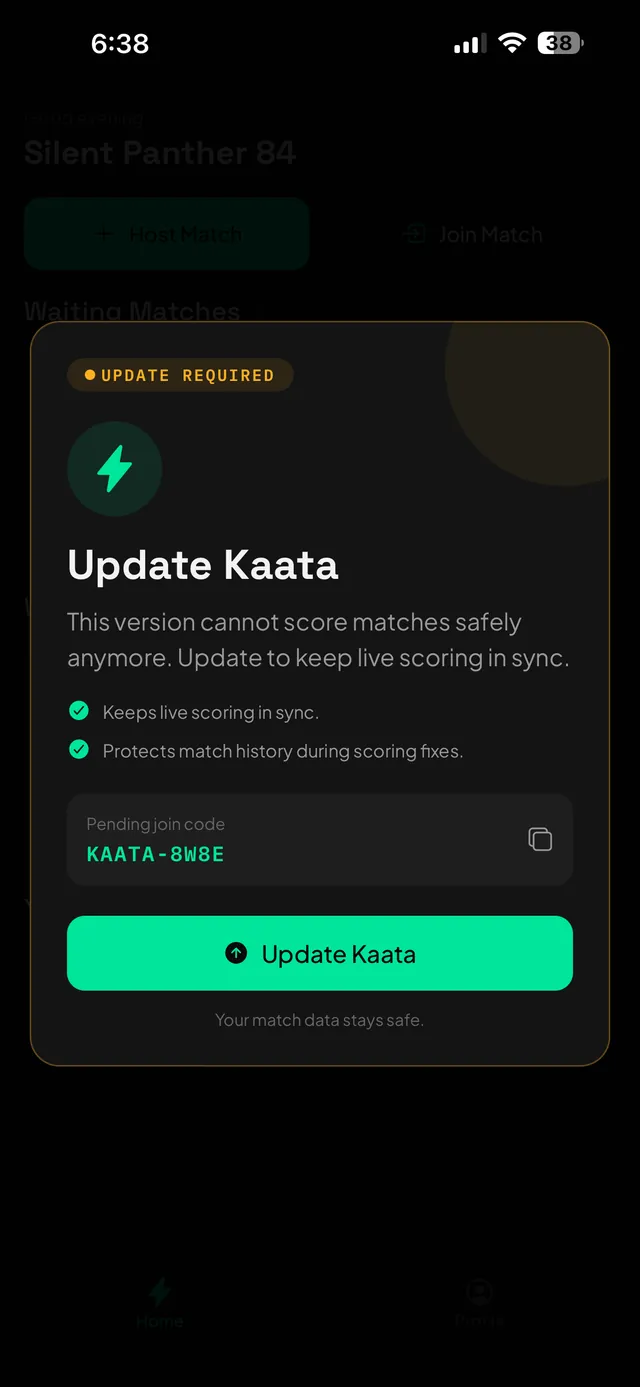
Kaata may show the pending join code inside the update screen. Copy
it before switching apps. Update ke baad Home screen par Join Match
tap karo, code paste karo, and the hoster can approve you again.
KAATA-8W8E
The code above is only an example. Use the code shown on your phone.
Pending code stays visible so you can continue after updating.Optional updates can wait if you are in the middle of a match.
Do not panic
Not every update blocks the app
If you see A sharper Kaata is ready, you can tap
Not now and continue. Update soon when scoring is calm. Agar live
match chal raha hai, finish the pench first.
Important
Update first. Uninstall only when it is the cleaner test-build move.
Public App Store and Play Store users should update in place first.
Kaata is guest-first today, so uninstalling can reset the local player
profile on this phone. For TestFlight, Android internal testing, or
old side-loaded builds, uninstalling the old build and installing from
the store is usually the safest clean switch.
Install the latest Kaata
Use the official store buttons. After installing, reopen your invite
link or enter the KAATA code manually.
Should I uninstall Kaata when force update appears?
For App Store or Play Store users, update in place first. Uninstall only if the store update is stuck or support asks you to. If you are moving from TestFlight or an Android internal-test build to the store build, uninstalling the old test build and installing fresh from the store is usually cleaner.
Will my match data stay safe?
Server-side match records stay safe. Because Kaata is guest-first right now, uninstalling can reset the local player profile on this phone. Pehle update try karo.
What if I scanned a QR code and then saw update required?
Copy the pending KAATA code if it is visible, update Kaata, then reopen the same invite link or enter the code from Home.